
Getting Started: Binary Analysis
Introducing Binary Analysis
Through Binary Analysis, Manifest allows you to see vendor-supplied libraries. This gives you visibility into virtually any compiled software without direct access to source code, helps you identify embedded open-source usage and risks, and enables you to continuously monitor vulnerabilities and other risks within the software. For the best and most comprehensive results, Manifest encourages all customers to use original SBOMs from vendors wherever possible.
A note on coverage: Binary Analysis is a powerful way to gain visibility when a vendor SBOM isn't available, but it isn't a full substitute for source code scanning. Because it works from the compiled artifact rather than the original source, results may be less comprehensive than software composition analysis (SCA) run directly against source code. Use Binary Analysis to fill visibility gaps, and prioritize vendor-supplied or source-generated SBOMs whenever they're available.
Importing Binaries
- Go to Uploads, then select the Import Binary button.
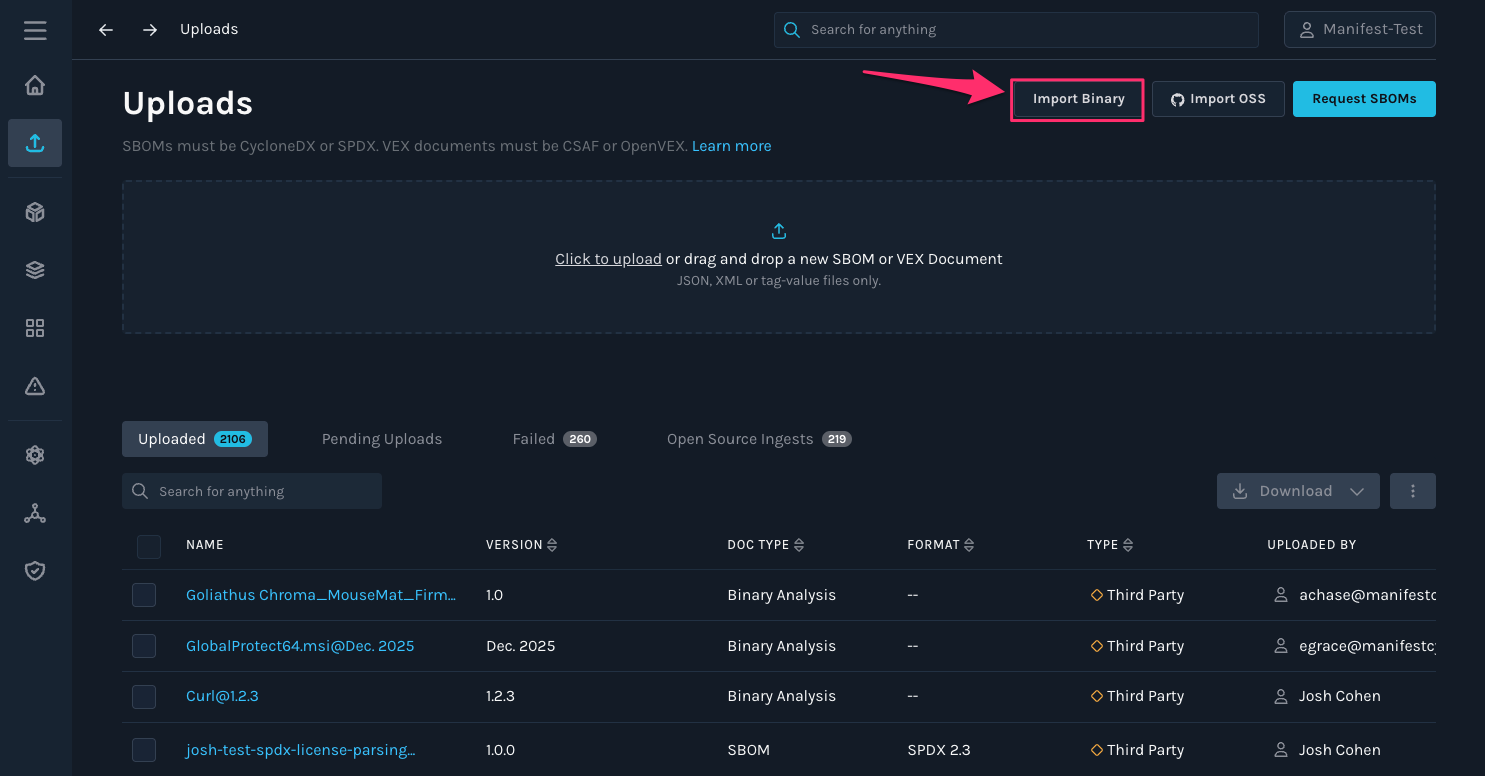
Important note: Binary Analysis is limited to one file at a time
- In your file finder, select the executable file you want to import. Manifest allows uploading of multiple executable file types. Some examples may include:
.exe .msi .bin .dll .so .sh ELF Mach-O - Fill out the appropriate fields for the binary file: name, version, supplier, and whether the supplier is first or third party.
- Click “Upload” to upload your file.
- Once the binary has finished uploading and SBOM generation and analysis is complete, you will receive an email.
Please note that depending on the size of your binary file, analysis may take up to 10-minutes.
For more information on interpreting results, see TPRM Document
Updated 12 days ago